THE CHOPPA™
Chopping a break into a Drum Machine Designer kit takes ten minutes by hand. The Choppa does a whole library in the time it takes to make a coffee.
Sliced like Logic slices
Hits land where Quick Sampler's own transient slicer puts them. Tested blind on 33 loops Logic had sliced itself: 91% of slices within 10 ms of Logic's marker.
Kits that are finished
Pitch, Filter and Filter Type macros mapped to every pad. A 0.02 s fade on every slice. Every pad keyed to its own note, so nothing plays detuned. The loop's real BPM stored in every pad — choose Flex · Follow and the kit follows your project tempo.
Whole libraries at once
Drop a folder and it searches all the way down. On a MacBook Pro: 819 breaks, 829 kits, 12,771 pads — in 30 seconds. Or click one loop, hear its pads, tune it, then chop.
How it works
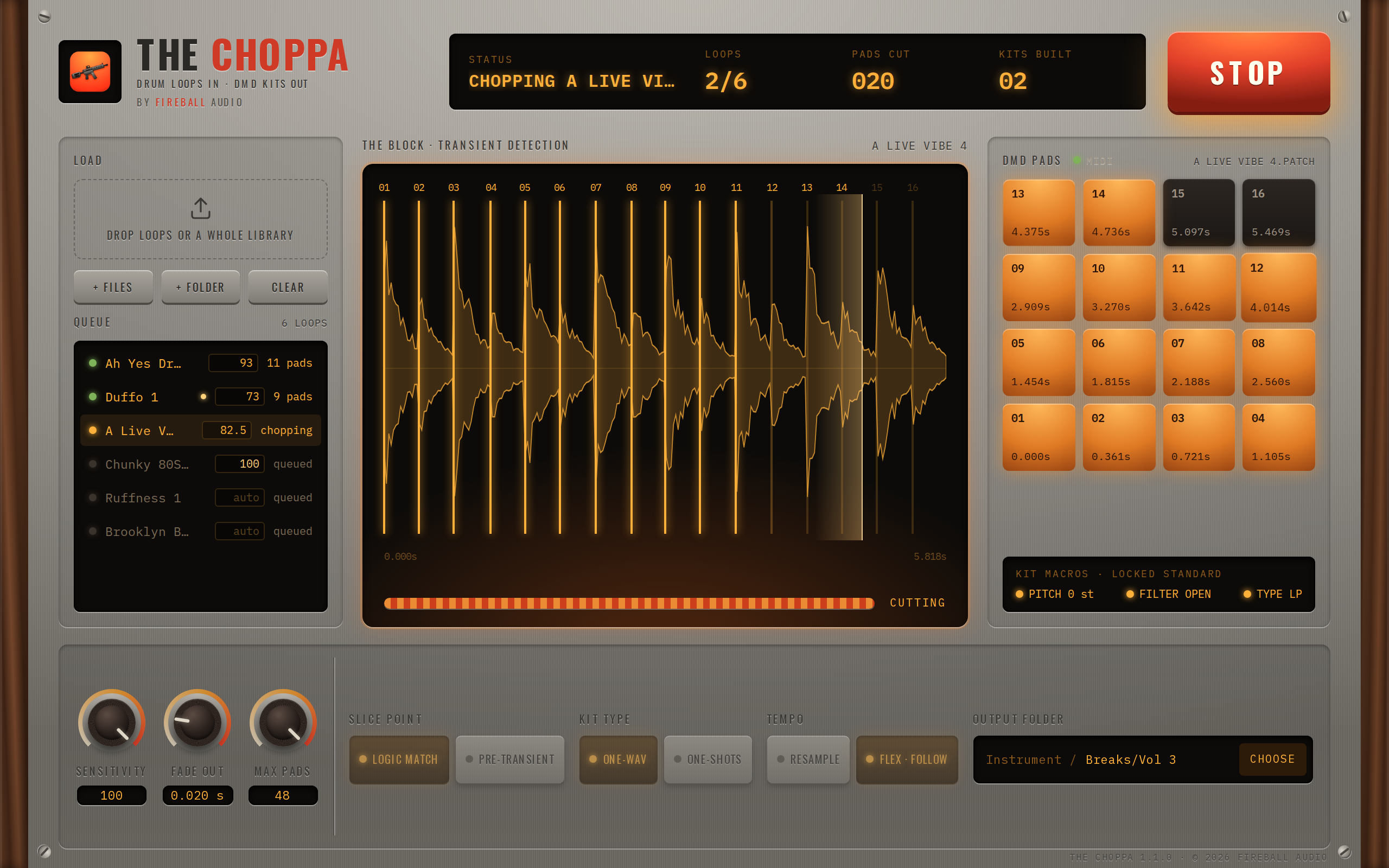
Drop loops or folders on the window. Click a loop to see where it will be cut and play its pads — from the window or from any MIDI controller, C1 is pad 1 — and give it its own Sensitivity, Fade Out or Slice Point if it needs one. Name the kit folder, or CHOOSE one. Press CHOP. The kits appear in Logic Pro's Library under User Patches — nothing to import. A One-wav kit is non-destructive: every pad is a window into one copy of the loop, so fine-tuning a slice is just moving a marker. A One-shots kit gives every pad its own file.
Built for hip hop, jungle, drum & bass and anything else that runs on breaks.
New in 1.1.0
Preview before you chop. Click a loop in the queue: The Block shows its waveform with every cut, the pads light, and clicking a pad — or hitting one on a MIDI controller — plays that slice. Sensitivity, Fade Out and Slice Point can be set per loop.
Tempo. Every loop's BPM is measured (whole-bar loops get exact tempos) and stored in the kit. Pick Resample for classic sampler pads or Flex · Follow for pads that keep their length under the Pitch macro and follow the project tempo.
One-shots kit type, CHOOSE the output folder (subfolders welcome), drops that add to the queue, and one installer for Apple Silicon and Intel Macs.